VMware virtual machine prompted by incompatible hardware version can not be started: module Upgrade failed to start, failed to start the virtual machine solutions


Article Description.
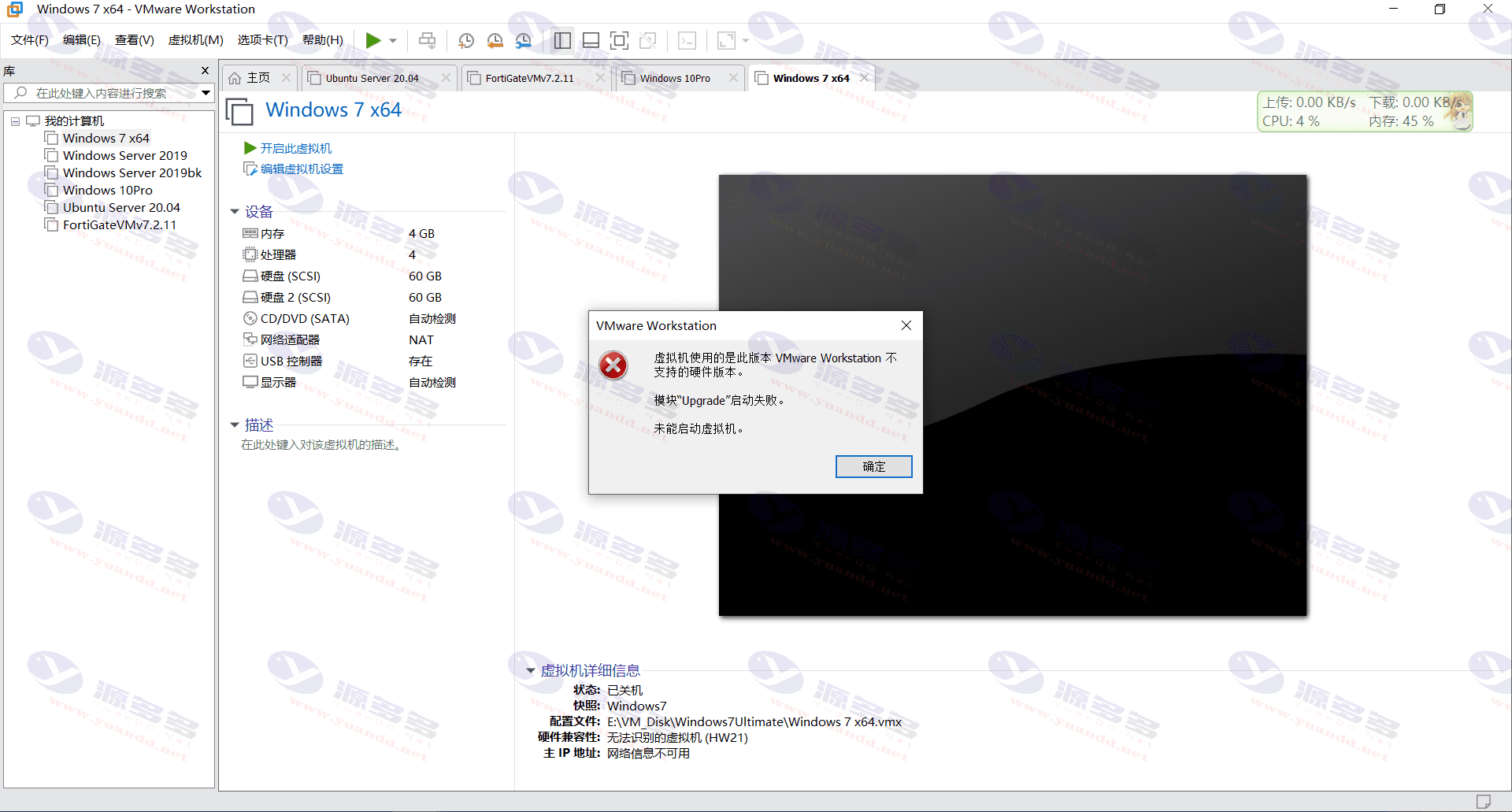
in usingVMwareWhen virtualizing the software, if you downgrade from a higher version of VMware Workstation to a lower version, you may encounter the following error message when opening the originally created virtual machine:
“Module Upgrade failed to start.Virtual machine cannot be started, prompting that the version of hardware currently in use is not supported.”
This problem is usually caused by virtual machine files that still retain hardware-compatible settings from a higher version that are not recognized by the current VMware version.
The solution steps are as follows:
1. Locate the virtual machine file that is reporting the error and right-click on the virtual machine.
2. Select “Manage” > “Change".hardware compatibility”。
3. In the pop-up screen, select the hardware version that is compatible with your current VMware Workstation version.
4. Confirm the changes and restart the virtual machine to work normally.
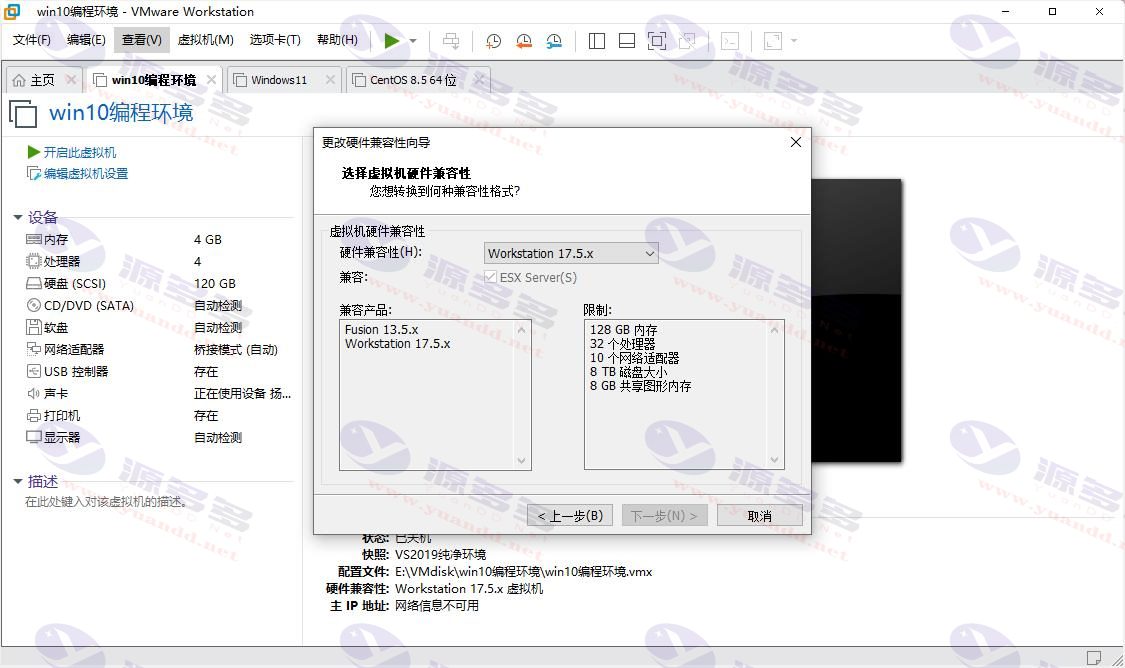
By adjusting the hardware compatibility in the above way, you can avoid the startup failure problem caused by version mismatch and effectively improve the compatibility and stability of the virtual machine.


- Can free downloads or VIP member-only resources be commercialized directly?
- The resources on this site are collected and organized through the network, for personal research and study purposes only. The copyright belongs to the legal owner of the software and program code, users should verify the copyright and legality of the resources, prohibited for commercial use, illegal activities or any violation of national laws and regulations.
- Disclaimer of liability for program or code bugs, compatibility issues or functional defects, etc.
- As the resources on this site are collected and organized through the network, not the site's original, it can not fully guarantee its functionality or code compatibility. Users need to verify whether the resources meet the needs of their own, due to the following circumstances lead to losses, this site does not assume any responsibility:
Programs, source code and other computer software resources may contain code vulnerabilities (bugs), compatibility issues or functional defects left by the developer. This site does not provide free repair services for such technical defects, users need to bear the risk of debugging, modification or abandonment of the use.